

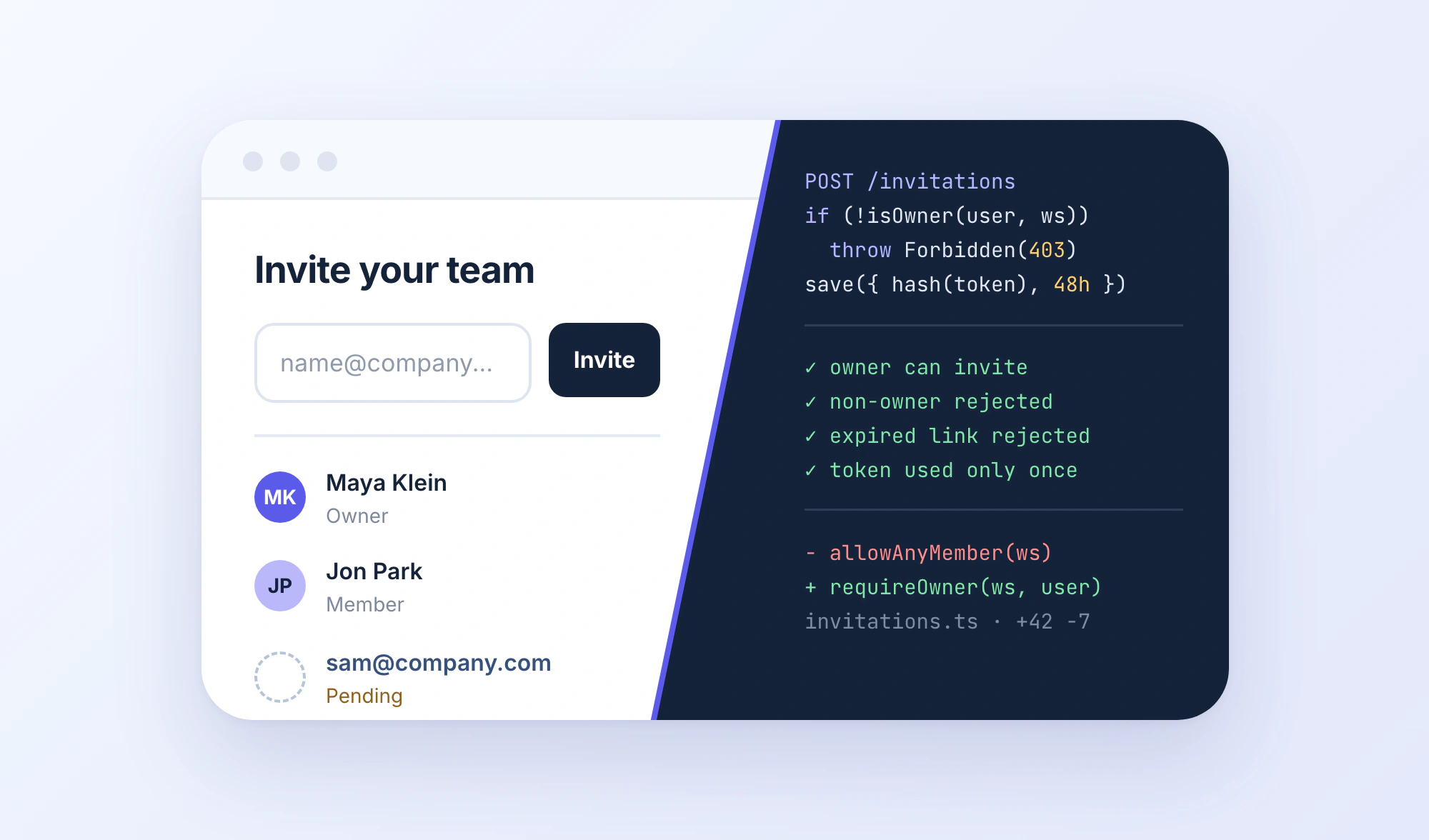
You ask an AI coding tool to add team invitations to your SaaS app. A few prompts later, you’ve got an invitation form, a working button, and a confirmation message.
Looks done. But is it?
Can anyone with a valid session invite users, or only workspace owners? What happens when an invitation expires? Does accepting the same link twice create duplicate memberships?
Those questions expose an important difference in how developers work with AI.
Vibe coding is about prompting your way to working software without closely inspecting the generated code. Agentic coding gives AI agents the ability to investigate, edit, execute, and test code across multiple steps.
They’re not mutually exclusive. You can vibe code with an autonomous agent, and you can use that same agent in a carefully reviewed engineering workflow.
The distinction matters when the task grows beyond getting something to work once.
This guide compares both approaches, walks through the same feature built in two different ways, and shows how to choose the right level of autonomy and verification for real development work.
TL;DR
- Vibe coding: Describe what you want, let AI generate the implementation, and iterate on the result without closely reviewing the code. Useful for prototypes and low-stakes experiments.
- Agentic coding: Give an AI agent a development goal and access to tools so it can explore a repository, edit files, run commands, and iterate on its work.
- Agentic engineering: Use coding agents within an engineering process that includes specifications, scoped permissions, tests, code review, and verification.
- The key distinction: Agentic coding describes how work is executed. Vibe coding describes how developers interact with and evaluate AI-generated code.
- The practical choice: Use as much autonomy as the task benefits from, but require evidence proportional to the consequences of getting it wrong.
What Separates Vibe Coding From Agentic Coding?
Both approaches can start with a natural-language prompt. Both can generate entire features, and both can involve multiple rounds of changes.
The difference isn’t the prompt. It’s what happens afterward.
Vibe Coding: Build Through Prompts, Inspect the Result
Andrej Karpathy introduced the term vibe coding in February 2025 to describe a way of building software where you largely stop paying attention to the underlying code.
You describe what you want, accept the AI-generated changes, run the application, and prompt again when something looks wrong.
For example:
Prompt
Build a dashboard with revenue charts, a date filter, and a collapsible sidebar.
The AI generates the components. You open the preview, notice that the sidebar overlaps the chart on mobile, and ask it to fix the layout.
You don’t necessarily inspect the React components, check the state management, or review every diff. You evaluate what the application does and keep iterating.
For a throwaway prototype, that can be a reasonable tradeoff. You’re trying to explore an idea, not maintain a system.
But there’s an important distinction: using AI to generate code doesn’t automatically make something vibe coding. If you review the implementation, understand the important decisions, and verify the result, you’re doing more than simply following the vibes.
The term has become broader in everyday usage, but the original distinction remains useful.
Agentic Coding: Delegate the Execution
Agentic coding changes how much of the development process an AI system can perform.
Instead of returning a code snippet and waiting for the next prompt, a coding agent can take a goal and work through intermediate steps.
Depending on its tools and permissions, it can inspect the repository, locate relevant files, modify implementations, run tests, examine failures, and revise its changes.
For example:
Prompt
Find why workspace invitations are failing for existing users. Trace the relevant code, implement a fix, run the affected tests, and return the diff.
The agent might discover that the invitation endpoint rejects an email address already associated with an account, even though that user isn’t a member of the workspace.
It can trace the validation logic, patch the condition, run the tests, and report what changed.
That execution loop is what separates an agent from a one-shot code generator. It can inspect files, take actions, evaluate the result, and try again. Understanding how AI coding agents actually work, including their access to repository context, tools, and execution environments, helps explain how they handle tasks that extend beyond generating code snippets.
Where Agentic Engineering Fits
Agentic coding doesn’t tell us whether the developer reviews the output.
You could give an agent access to the entire repository, let it rewrite a feature, accept every change, and deploy without checking anything. That’s still agentic execution, but with a vibe coding approach to review.
Agentic engineering describes using that autonomy while maintaining engineering discipline.
The developer defines the requirements, sets boundaries, reviews architectural decisions, and checks the implementation before shipping. Simon Willison explores this distinction in his Agentic Engineering Patterns.
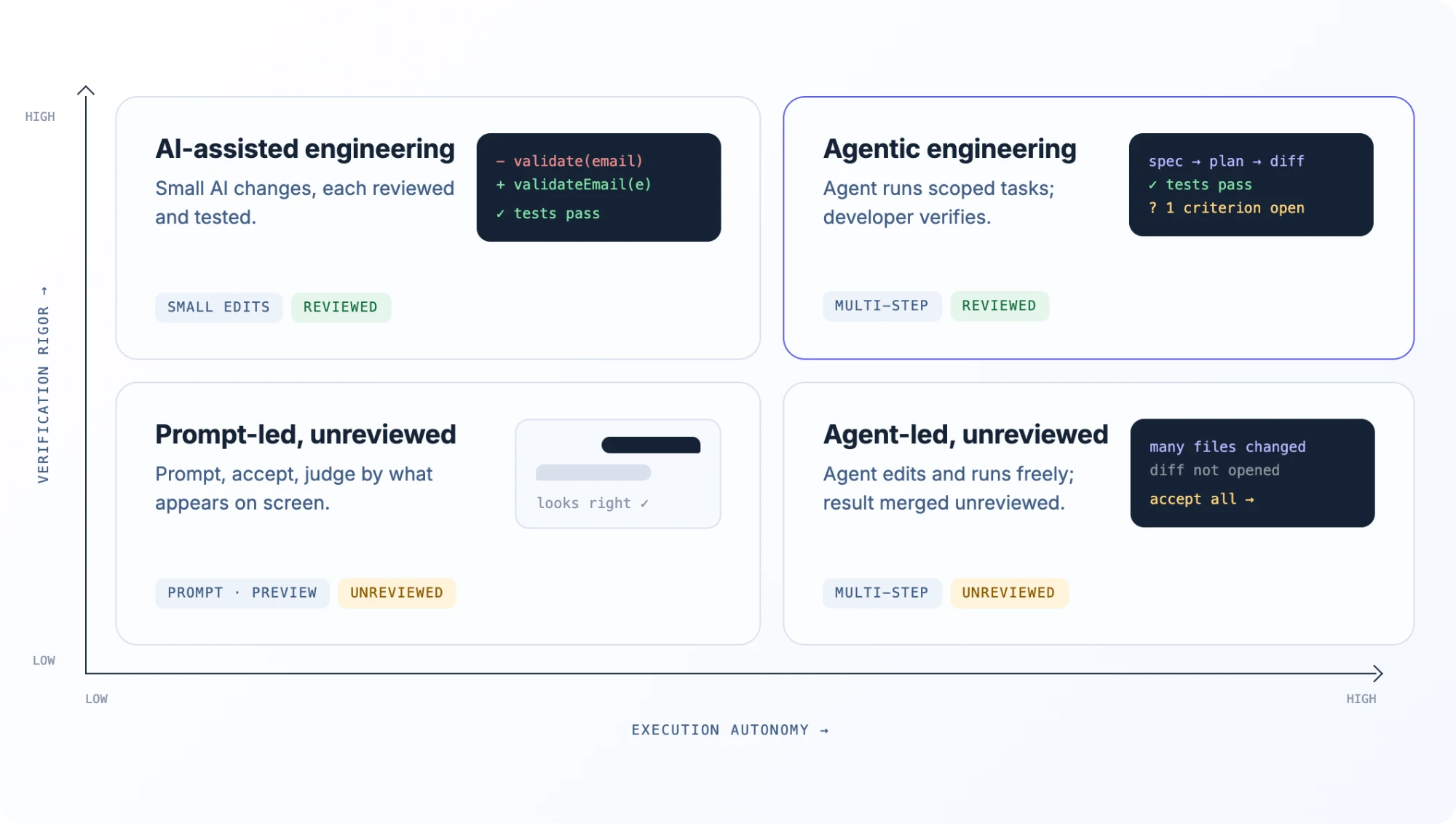
The distinction is easier to understand when you separate two things: how much work an AI agent executes and how thoroughly the developer verifies the result.
An agent can investigate a repository, modify dozens of files, and run tests while the developer accepts everything without review. Conversely, a developer can use AI for small, carefully reviewed changes without delegating the entire task.
These are different levels of autonomy and verification, and they don’t necessarily increase together.
Same Feature, Two Workflows
Let’s compare both approaches using the same task.
Imagine an existing TypeScript SaaS application with PostgreSQL, user authentication, and workspace memberships.
Users can create and join workspaces, but there’s no invitation system.
The new feature should let workspace owners invite teammates by email. Recipients receive a link, accept the invitation, and become members of the correct workspace.
The visible feature is simple. The underlying workflow touches the UI, API, authorization logic, database, and email delivery.
Workflow 1: Vibe Coding the Feature
You open your AI coding tool and enter:
Prompt
Add team invitations. Workspace owners should be able to enter an email address, invite someone, and see pending invitations. Match the existing UI.
The tool generates an invitation form, a list of pending invites, and supporting application logic.
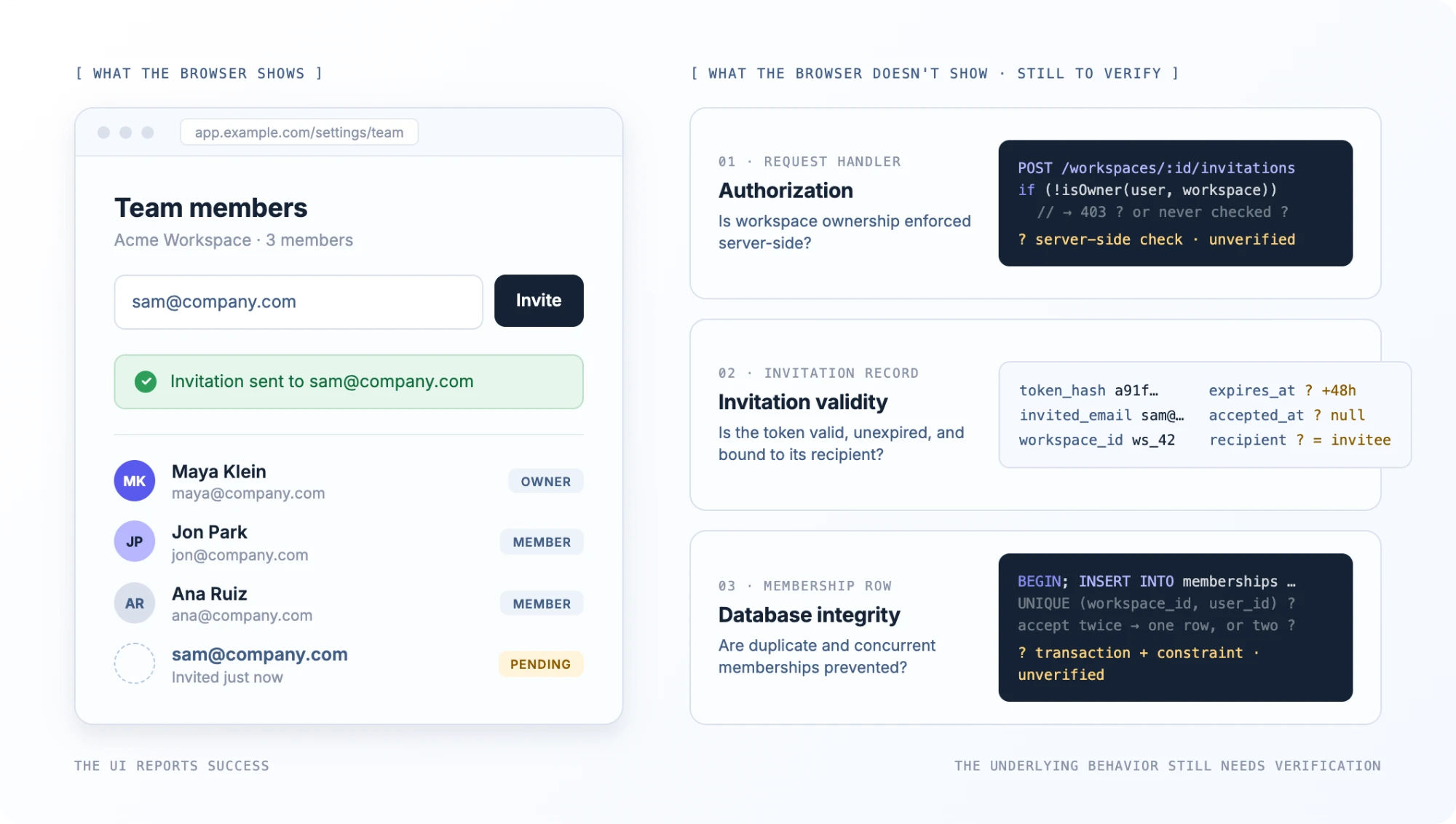
You open the browser preview. The form looks good, but the confirmation message is missing. You prompt the AI to add one.
You try another email address. The button works, a success message appears, and the pending invitation shows up in the dashboard.
The feature appears complete.
But that browser session hasn’t established whether the server enforces workspace ownership, whether the invitation token can be reused, or whether the database prevents duplicate membership records.
These aren’t necessarily bugs. The AI may have implemented some of them correctly.
The point is that the visible result doesn’t establish what was implemented or whether the important edge cases work.
If the goal was to validate the interface or demonstrate a product concept using test data, the prototype may have done its job.
If real customers are going to use it, the acceptance criteria need to be more precise.
Workflow 2: Building the Feature With an Agentic Engineering Process
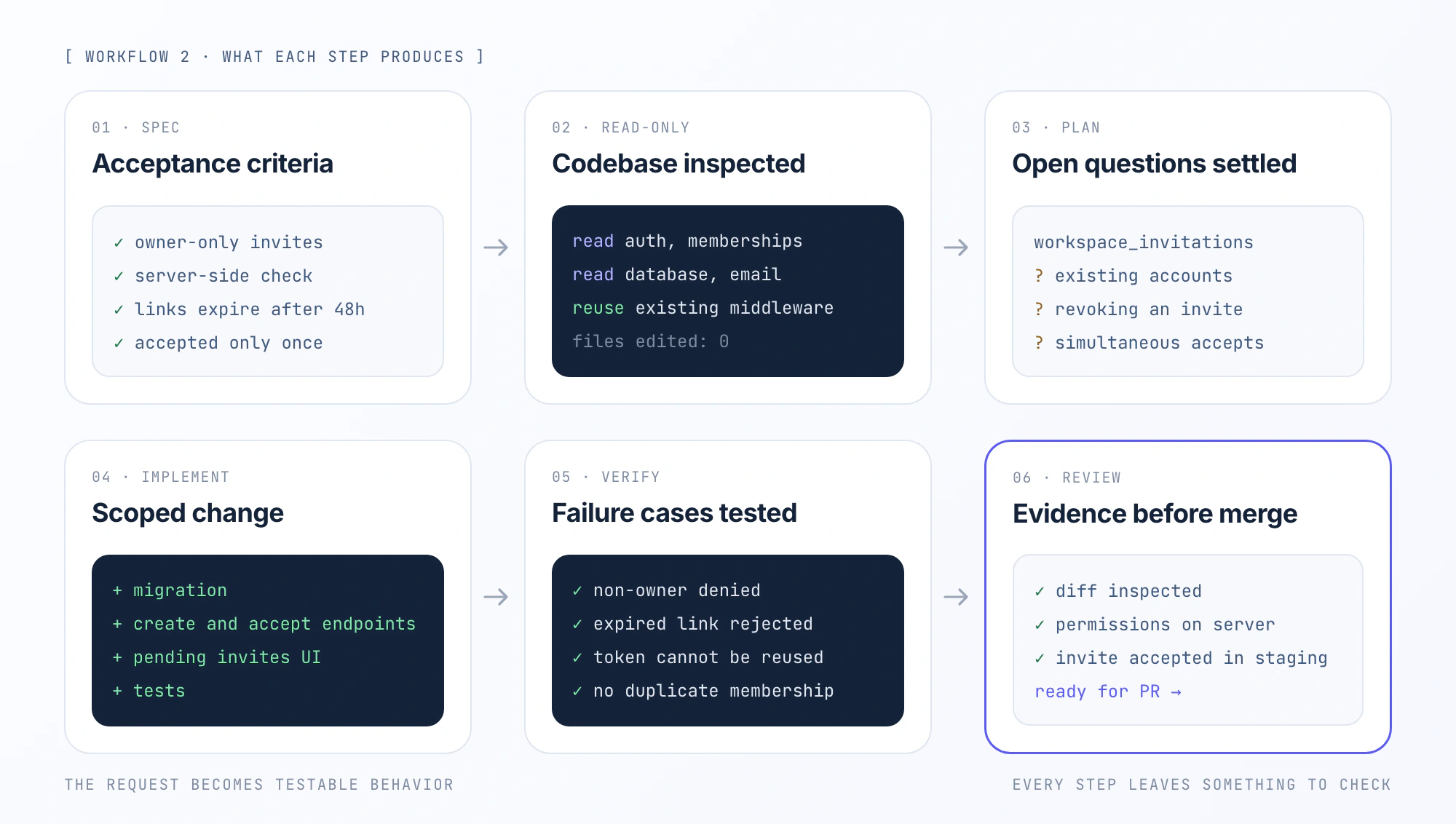
Start with the same repository and feature request. This time, define the behavior before asking the agent to implement it.
Step 1: Write the acceptance criteria
The feature needs to satisfy requirements such as:
- Only authorized workspace owners can create invitations.
- The permission check must happen server-side.
- Invitation links expire after 48 hours.
- Each invitation can only be accepted once.
- Accepting an invitation creates membership in the intended workspace.
- Existing members cannot create duplicate memberships by accepting another invitation.
- Invalid, expired, or previously used invitations are rejected.
- The invitation flow must not expose tokens or unrelated workspace data.
These are illustrative requirements for this example, not universal rules for invitation systems.
They turn “make invitations work” into behavior that can be tested.
Step 2: Ask the agent to inspect the codebase
Before making edits, give the agent a read-only investigation task:
Prompt
Inspect the existing authentication, workspace membership, and database implementation. Identify where invitation creation and acceptance should live. Reuse current authorization patterns and email infrastructure where possible. Return an implementation plan with affected files, schema changes, tests, and unresolved questions. Don’t edit files yet.
This gives the agent room to investigate without immediately creating a new architecture.
It may find existing middleware for workspace permissions, a shared email service, or database constraints that should be reused.
Those findings matter more than having the agent generate code as quickly as possible.
Step 3: Review the plan before implementation
Suppose the agent proposes adding a workspace_invitations table containing the workspace ID, invited email, intended role, token hash, expiration timestamp, and acceptance state.
It also proposes endpoints for creating and accepting invitations, along with a dashboard component for pending invites.
Before approving, you’d want to settle questions such as:
- What happens when an invitation is sent to someone who already has an account?
- Must the accepting user’s verified email match the invited address?
- Can an owner revoke a pending invitation?
- Which roles can be assigned through the invitation flow?
- How does the system handle two requests attempting to accept the same link simultaneously?
You don’t need to resolve every possible future feature. You do need to resolve the behavior required for the current task.
Step 4: Let the agent implement a scoped change
With the plan approved, the agent can implement the database migration, endpoints, UI, and tests.
For example, a typical implementation might:
- Verify the requester’s workspace permissions.
- Generate a cryptographically secure invitation token.
- Store a hash of the token rather than the raw token.
- Send an invitation containing the acceptance link.
- Validate the token, expiration, email identity, and membership state on acceptance.
- Create the membership and mark the invitation as consumed in a transaction.
The exact implementation depends on the application.
For instance, a database constraint on (workspace_id, user_id) can provide a final guard against duplicate memberships, while transactional acceptance can prevent multiple requests from consuming the same invitation incorrectly.
Those are implementation details worth reviewing, not decisions to accept blindly because an agent produced them.
Step 5: Test the failure cases
Now the agent has something concrete to verify.
| Scenario | Expected behavior |
|---|---|
| Owner invites a valid email | Invitation is created |
| Non-owner attempts to invite | Request is denied |
| Invitation has expired | Acceptance is rejected |
| Invitation was already accepted | Token cannot be reused |
| User already belongs to workspace | Duplicate membership is prevented |
| Two acceptance requests arrive together | Only one valid membership transition occurs |
| Recipient belongs to another workspace | No unauthorized access is granted |
Depending on the repository, verification might involve commands such as pnpm test, pnpm lint, and pnpm typecheck, alongside API integration tests.
Those commands are examples, not a substitute for the project’s actual scripts or CI pipeline.
It’s also possible for every automated test to pass while the application still has a defect. The important question is whether the tests cover the requirements and likely failure modes.
Step 6: Review the implementation and running behavior
Before merging, inspect the diff.
Did the agent modify only the expected files? Did it introduce unnecessary dependencies? Are permission checks enforced by the backend or just hidden in the UI?
Review the database migration, test coverage, and error handling.
Then run the feature in a development or staging environment. Create an invitation, accept it through another account, and inspect the resulting membership state.
If the evidence is sufficient, the change can move through the normal PR and deployment process.
What Actually Changed?
Both workflows started with the same requirement. Both could produce a functioning invitation feature.
But they generated different kinds of evidence.
| Vibe Coding Workflow | Agentic Engineering Workflow | |
|---|---|---|
| Starting point | Feature description | Feature specification |
| Implementation | Prompt-driven iteration | Investigate, plan, implement |
| Success signal | Visible behavior looks right | Acceptance criteria and tests pass |
| Review | Often little or none | Diff, implementation, and tests |
| Release decision | Based largely on observed behavior | Based on reviewed evidence and risk |
This is why the difference matters more for maintained software than for disposable prototypes.
A polished UI is evidence that the UI renders. It isn’t evidence that the authorization model is correct.
How Much Autonomy Should an Agent Get?
Agent autonomy isn’t an all-or-nothing setting.
You can let an agent read files and run local tests without allowing it to install dependencies, modify production data, or push to protected branches.
The useful question is what actions the task actually requires.
For the invitation feature, a reasonable workflow might look like this:
A permission model should also account for the environment itself. Giving an agent shell access with production credentials available creates a different risk from letting it work in an isolated development environment.
The goal isn’t to approve every trivial command. It’s to prevent routine coding work from turning into unintended changes to systems or data.
The larger the potential impact, the stronger the boundary should be.
When to Use Vibe Coding vs Agentic Coding
The choice depends less on how experienced you are and more on what the task needs to accomplish.
| Development scenario | Practical approach | What matters |
|---|---|---|
| Exploring a new UI | Vibe coding | Rapid feedback and iteration |
| Building a throwaway prototype | Vibe or light agentic coding | Whether the idea is useful |
| Creating an internal dashboard | Agentic coding with checks | Accuracy and access control |
| Adding a feature to an app | Agentic engineering | Conventions and regressions |
| Refactoring a large codebase | Agentic engineering | Compatibility and behavior |
| Fixing a production bug | Controlled agentic engineering | Regression tests and rollout |
| Updating dependencies | Agentic engineering | Compatibility and rollback |
These categories aren’t absolute.
A small internal dashboard connected to sensitive data may need stricter controls than a public prototype. A production CSS fix may require much less verification than an authentication change.
Three Questions to Ask Before Delegating a Task
1. What’s the blast radius if this goes wrong?
A broken local prototype can be discarded. An incorrect database migration can affect every customer.
That difference should determine how much review and isolation the task requires.
2. How much existing behavior must remain unchanged?
The more a change touches shared components, public APIs, authorization, or persistent data, the more important regression testing becomes.
An agent’s ability to edit many files doesn’t mean those files should all change.
3. What would prove the work is complete?
For a UI experiment, a browser preview might be enough.
For a permission-sensitive feature, you may need integration tests, a reviewed diff, and a verified server-side authorization path.
Define the completion criteria before assigning the implementation.
From Vibe-Coded Prototype to Maintained App
You don’t have to rewrite an entire prototype just because it was built through prompts.
First, determine what actually exists. Then use agents to improve it in small, verifiable changes.
1. Capture a Baseline
Commit the current code and get the application running consistently.
Record the important user flows, dependencies, environment requirements, and known failures.
If the application has no tests, start with the most important existing behavior rather than asking an agent to refactor everything at once.
2. Audit the Parts That Carry Risk
Ask an agent to map the authentication flow, authorization boundaries, database operations, external API calls, and deployment configuration.
Treat the result as an investigation to review, not a certified security audit.
Prioritize the areas where incorrect behavior could expose data, grant unauthorized access, corrupt records, or break existing functionality.
3. Make Existing Behavior Testable
Before changing a fragile implementation, add tests around behavior that must remain stable.
For example, if the prototype already supports workspace creation, test that a user can create a workspace, that membership is recorded correctly, and that another user cannot access it without authorization.
That gives future agent-generated changes something meaningful to validate against.
4. Replace Broad Prompts With Scoped Tasks
Instead of:
Broad prompt
Clean up the backend and make it production-ready.
Use:
Scoped task
Refactor workspace authorization into the existing middleware layer. Preserve the current API responses, add tests for unauthorized access, and avoid unrelated schema changes. Return a summary of modified files and test results.
The second instruction gives the agent a narrower job and provides criteria for reviewing the result.
5. Review Changes in Small Batches
Use branches or worktrees to isolate changes. Keep migrations separate from unrelated UI improvements.
Inspect the diffs, review newly introduced dependencies, and check whether existing tests still pass.
Smaller changes are easier to understand, revert, and debug when something fails.
6. Verify the Actual Application
Run the application and test its important flows using realistic test data.
For backend changes, check the relevant API and database behavior. For UI work, inspect the running application. For deployment changes, verify the staging environment and the release process.
The goal is not to accumulate the largest possible test suite. It’s to establish useful evidence for the behavior that matters.
Common Mistakes in Agentic Coding Workflows
Giving an agent more autonomy can reduce manual coordination, but it also introduces ways to waste time or produce incorrect changes.
Starting With a Vague Goal
“Improve performance” gives an agent very little to verify.
“Reduce the number of database queries in the workspace listing endpoint without changing the API response” gives it a measurable target.
The same applies to bugs. Provide reproduction steps, expected behavior, and relevant logs when you have them.
Letting the Agent Refactor Unrelated Code
An agent fixing an invitation bug might also rewrite shared validation utilities or reorganize database modules.
Sometimes those changes are necessary. Often they create additional review work and regression risk.
Ask for the smallest coherent change and require justification for unrelated edits.
Treating Passing Tests as Proof of Correctness
An agent can write tests that confirm its own incorrect assumptions.
A mocked email function returning success doesn’t prove the real delivery flow works. A rendered form doesn’t prove the server enforces permissions.
Check the coverage against the requirements, not just the green test output.
Skipping the Diff
An agent’s summary is useful, but it isn’t a substitute for inspecting the implementation.
Review changes to permission logic, queries, migrations, dependencies, and external integrations carefully.
When changes affect sensitive or business-critical behavior, use the same review standards you’d apply to a human-authored PR.
Where PandaOS Fits Into the Workflow
An agent can modify code and pass local tests without completing the development task. A bug fix might still require checking database state, verifying the running application, and confirming that the deployment behaves as expected.
PandaOS brings these activities into a local development workspace, where coding agents can interact with project files, development tools, and supported external services.
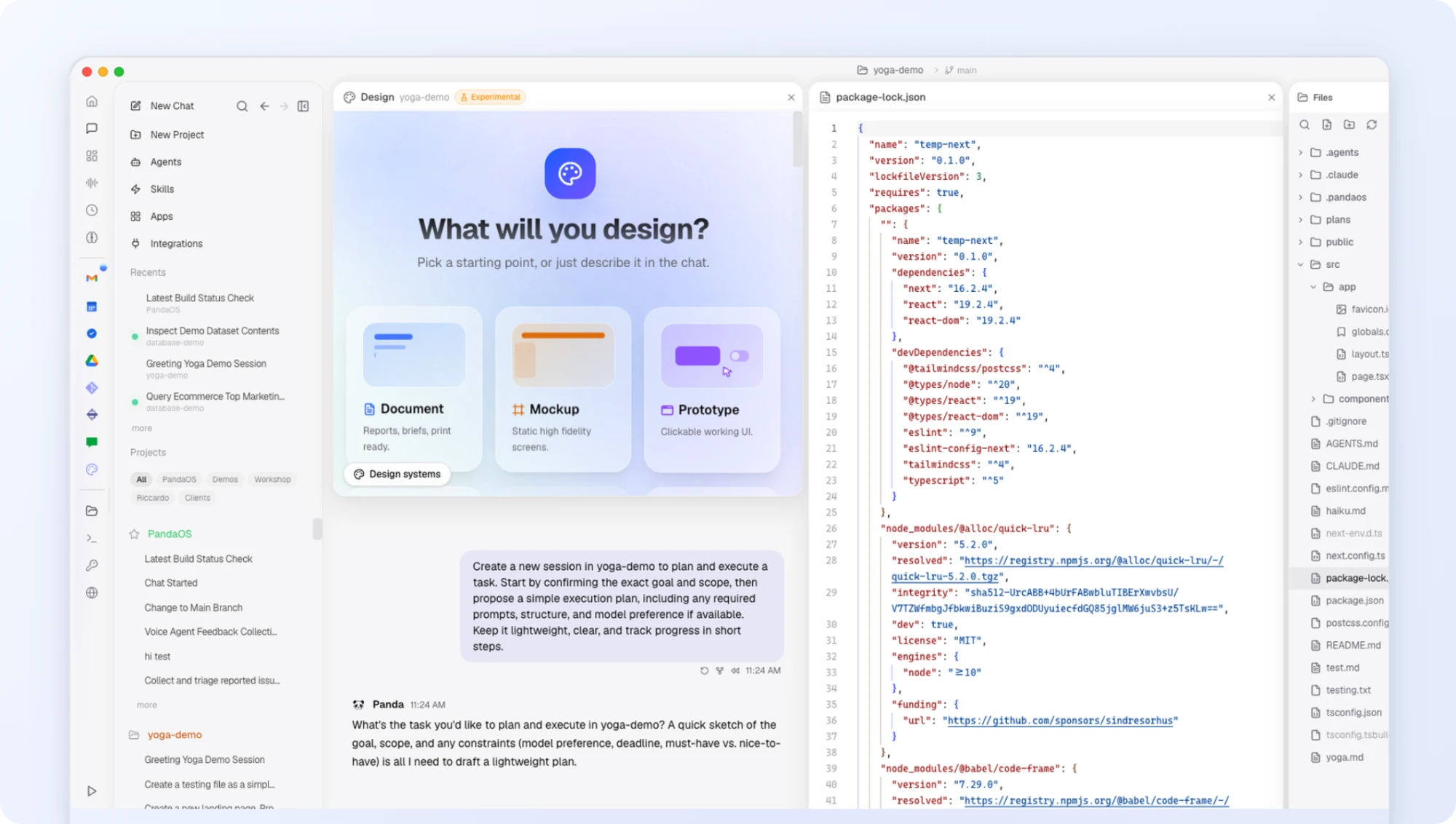
For example, PandaOS supports a bug report to verified deploy workflow. An agent can investigate the repository, inspect relevant data through connected services, and modify the affected files. The developer can review the changes, test the application, and check the deployment.
Developers can also use configurable permissions to control which actions agents can perform automatically and which require approval.
This doesn’t replace engineering judgment or verification. It provides the environment for carrying out and supervising work that extends beyond editing code.
The Right Workflow Depends on What You’re Building
Vibe coding and agentic coding aren’t competing technologies. They describe different aspects of working with AI-generated code.
Vibe coding can get an idea into a browser quickly. Agentic coding can take on the repository investigation, implementation, and verification steps that would otherwise require more manual coordination.
Agentic engineering adds the practices needed to keep those changes understandable and dependable.
You don’t need the same level of structure for a weekend prototype and a production authentication change. You do need to know what you’re delegating, which actions the agent can take, and how you’ll decide whether the result is correct.
The useful question isn’t whether to let AI write code. It’s which parts of the development process you can delegate without losing the ability to understand, verify, and maintain what ships.
FAQ
Can you use the same AI tool for vibe coding and agentic coding?
Yes. Tools such as Cursor, Claude Code, and Codex can support both approaches. You can use them to generate a quick prototype without inspecting much of the code, or assign structured tasks with acceptance criteria, tests, and code review. The difference is how you work with the tool, not simply which tool you choose.
Is agentic coding better than vibe coding for production applications?
Agentic coding is useful for complex development tasks, but autonomy alone doesn’t make an application production-ready. Production work requires appropriate testing, security controls, code review, and deployment verification. Agents can execute many of these steps, but developers still need to evaluate the results.
Can you turn a vibe-coded prototype into a production application?
Yes, although the amount of work depends on the existing implementation. Start by reviewing the architecture, dependencies, authentication, and data handling. Add tests around critical functionality, address security and reliability issues, and make changes incrementally. Some prototypes need minor improvements, while others require substantial rework.
How much autonomy should you give an AI coding agent?
Give the agent the permissions required for its task, with stronger restrictions for higher-impact actions. Reading repository files and running local tests may be appropriate without repeated approval. Modifying production databases, accessing secrets, or deploying changes should have stricter controls. The appropriate boundaries depend on the environment and potential consequences of failure.
Should you review every line of AI-generated code?
Not every change requires the same level of scrutiny. A minor UI adjustment and an authentication change carry different risks. Prioritize security-sensitive logic, database operations, public APIs, dependencies, and changes affecting shared behavior. Automated tests and CI checks support the review process, but they don’t replace understanding critical changes.
What’s the difference between agentic coding and agentic engineering?
Agentic coding describes using AI agents to execute development tasks, such as inspecting repositories, modifying files, and running tests. Agentic engineering adds the practices for managing that work responsibly, including clear requirements, scoped permissions, code review, and verification before release.