

Failed Deploy Fix
Vercel Build Failed? Roll Back, Then Fix It in One Chat
Your users are back on the last good build before debugging starts. Then PandaOS reads the log, finds the broken line and ships the fix.
 Your Keys
 Hot-Swap AI Plans
 No Data Training
 Desktop-First
The problem
Why a Red Deploy Costs More Than a Minute
A failed deploy blocks everything behind it: the release is stuck, the next push could make it worse, and the cause sits somewhere in a long build log, usually above a line like "npm run build exited with 1", in a different tool from your code. So you choose between rushing a fix and digging through dashboards to roll back by hand.
- A red deploy
- The build log
- The code
- The terminal
- The rollback
- The incident ticket
How PandaOS Gets It Green Again
Every step shows in the chat, and the rollback waits for your OK.
The last deploy failed. Roll back, then fix it.
- 01
Spot the Failure
PandaOS opens the failed deployment in the Vercel app, right beside the chat.
Vercel - 02
Roll Back First
Ask in the chat. PandaOS asks before it touches production, then rolls back to the previous deployment, the last good build.
Vercel - 03
Read the Build Log
With production safe, it reads the log and pulls out the error that stopped the build.
Vercel - 04
Find and Fix the Line
It traces the error to the file in your repo and patches it.
GitHub - 05
Redeploy
It pushes the fix through your existing Git and Vercel flow.
Vercel - 06
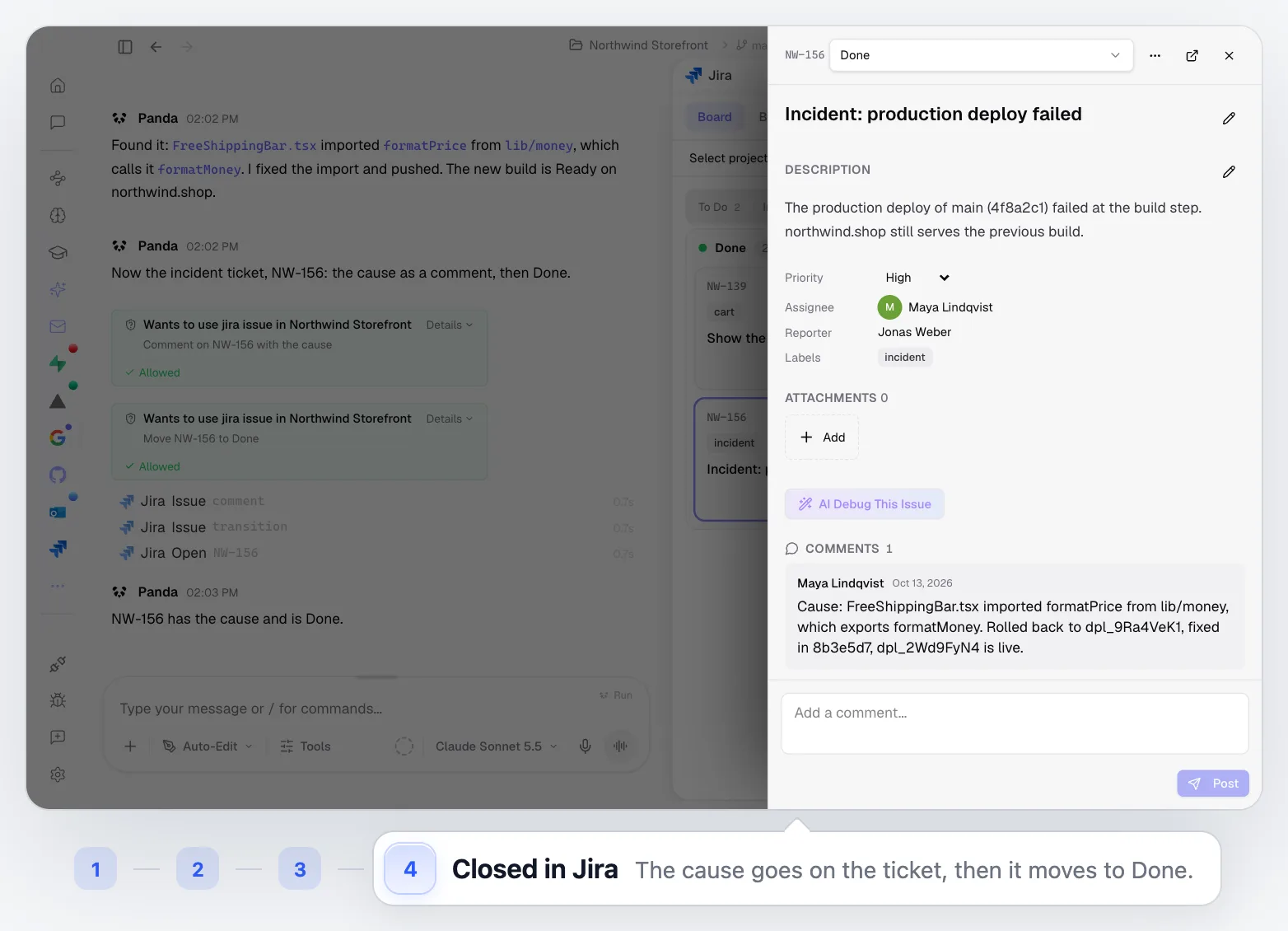
Close the Incident
The new build is Ready, and the Jira ticket gets the cause and moves to Done, once you allow it.
Jira
Best for Builds That Break at the Worst Time
When the fix is small but finding it is not.
Type and Import Errors
The classic Module not found or type error: it worked locally, the Vercel build disagrees.
Dependency Updates
A package bump that breaks the build, traced and fixed from the log.
Environment Differences
Errors that only appear on the build server, read straight from its output.
Late-Night Releases
Get production back without opening three dashboards.
Built Into the Rest of PandaOS
The parts of PandaOS this workflow runs on, each worth a look on its own.
Get Back to Green Faster
Keep the deployment, the log and the code in one workspace, and let PandaOS carry the fix from error to live.
FAQ
Does this only work with Vercel?
Vercel is the supported integration shown here, with deployments, build logs and domains in the app. With other hosts, PandaOS can still read build output in the terminal and push fixes through Git.
Will PandaOS push to production without asking?
Only if you let it. Pushing and deploying are actions you control: let them run, have PandaOS ask first, or keep them off.
Why roll back before fixing?
A rollback pins your domain to the last good build, so nothing else is promoted to production while the fix is made. The fix can then ship without pressure.
What if the error needs a decision from me?
PandaOS explains what it found and asks before making a change that goes beyond the fix, such as upgrading a dependency.
Does PandaOS see my source code?
PandaOS works on the project folder on your own machine, the same files you edit. You decide which AI provider and keys it uses.


