

Bug Fix Automation
From Bug Report to Verified Deploy
Start with the report. PandaOS can trace the issue into the codebase, patch the problem, test the running app, deploy the change, and prepare the follow-up.
 Your Keys
 Hot-Swap AI Plans
 No Data Training
 Desktop-First
The problem
Why Bug Triage Sprawls Across the Stack
A ticket rarely contains the root cause. Getting from symptom to resolution can mean tracing code, runtime state, data, logs, and deploys across several systems.
- The report
- The code
- Tests
- The running app
- Data
- Deploys
- The reply
How PandaOS Handles the Triage
PandaOS keeps the investigation connected as the task moves from the initial report through debugging, validation, and release.
Fix item 1, the discount code bug.
- 01
Pull in the Report
Use the Gmail integration to bring the reported symptoms and relevant details into the project context.
Gmail - 02
Reproduce & Triage
Open the local repo, inspect the codebase, and use connected data or runtime information to narrow down the cause.
GitHubSupabase - 03
Patch the Code
Let the agent modify the affected files and use the built-in terminal for commands, scripts, builds, or tests.
Built-in terminal - 04
Test the Running App
Use the built-in browser to reproduce the issue, inspect the app, and verify the patched behavior.
Built-in browser - 05
Deploy & Check
Use the existing Vercel or Git-based flow to ship the change and inspect the resulting deployment.
Vercel - 06
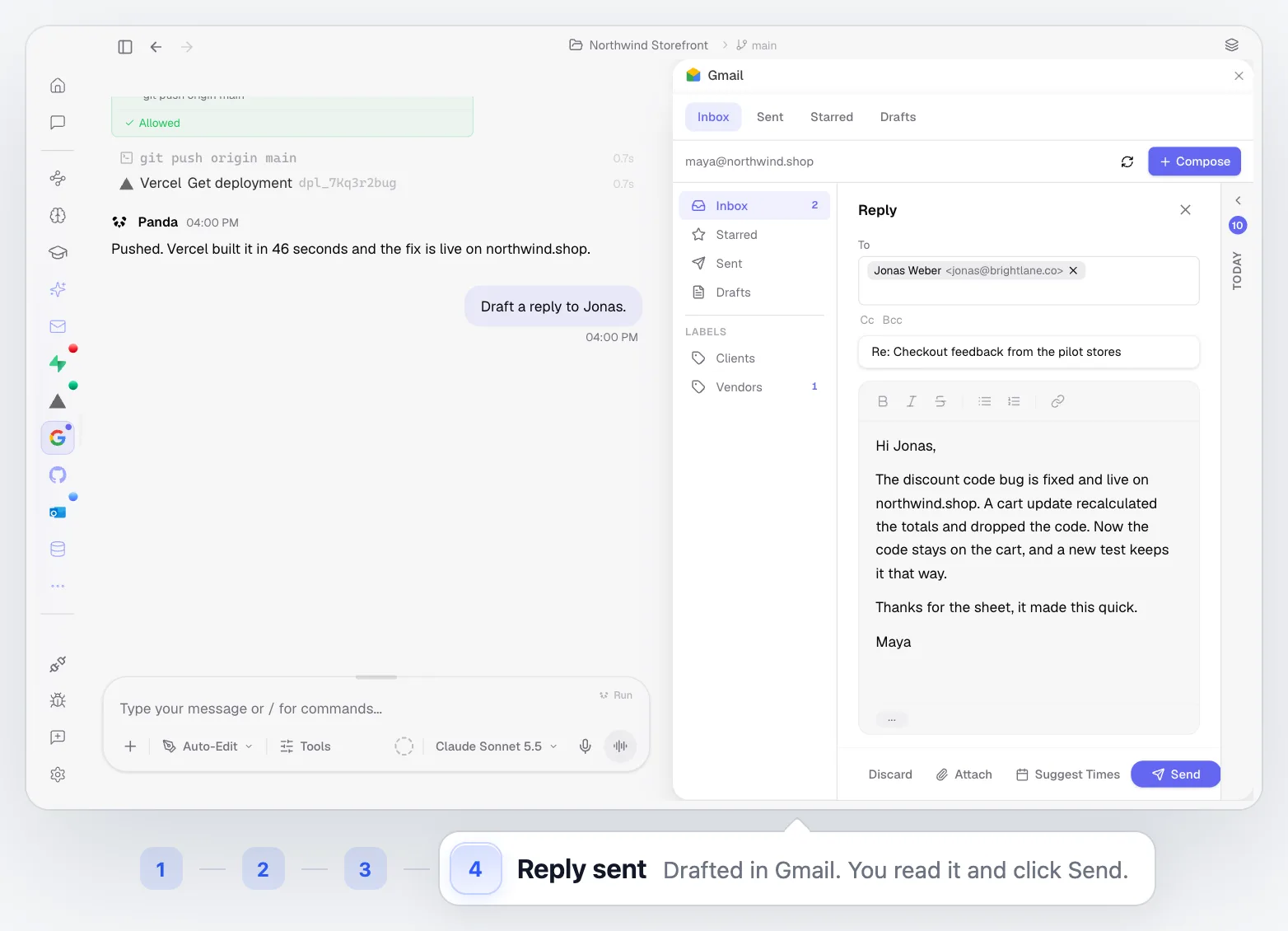
Close the Loop
Return to the original report and reply to the reporter: drafted in Gmail, reviewed by you, then sent.
Gmail
Best for Bugs That Cross System Boundaries
This use case is most valuable when the issue can't be diagnosed or resolved from the codebase alone.
Customer-Reported Regressions
Start from a real user report and trace the issue through the systems needed to reproduce and resolve it.
UI & Runtime Failures
Debug behavior that only becomes clear when the application is running in the browser or live environment.
Data-Dependent Bugs
Investigate failures where both application logic and database state need to be inspected.
Deployment-Specific Issues
Handle problems that only appear after a build ships or depend on environment and deployment configuration.
Built Into the Rest of PandaOS
The parts of PandaOS this workflow runs on, each worth a look on its own.
Ship the Change Without the Tool Shuffle
Keep the report, repo, runtime, data, and deployment close enough together to move from triage to release without manually carrying the task across your stack.
FAQ
Does PandaOS need access to my email for this use case?
Only if the report starts in email. Gmail can be connected to PandaOS and used as a source of context for the project and task.
Can PandaOS inspect the running application?
Yes. The built-in browser can navigate the application, interact with the UI, capture screenshots, read console output, and evaluate JavaScript during debugging.
Can PandaOS run tests or terminal commands during triage?
Yes. Agents can execute terminal commands and work with the local development environment as part of the investigation and validation process.
Does PandaOS replace my deployment setup?
No. PandaOS works with the deployment flow you already use. For supported integrations such as Vercel, it can interact with the existing project and deployment environment.
Can PandaOS investigate database-related bugs?
Yes, when a supported service such as Supabase is connected. This lets the investigation include application data alongside the codebase.
Can I control which tools an agent can access?
Yes. Connected apps have action controls, and project-scoped integrations can be linked to specific resources so you can limit what is available within a project.


